Let customers browse, add to cart and order inside WhatsApp

Show your products in multi-product messages and a full in-chat catalogue. Customers pick what they want and send you a cart, without leaving the conversation.

  • Multi-product messages
  • In-chat catalogue and cart
  • Sync products from your store
  • Orders arrive with every detail

Built on the official WhatsApp Business Platform by

Product listings

Show your products beautifully, right in the chat

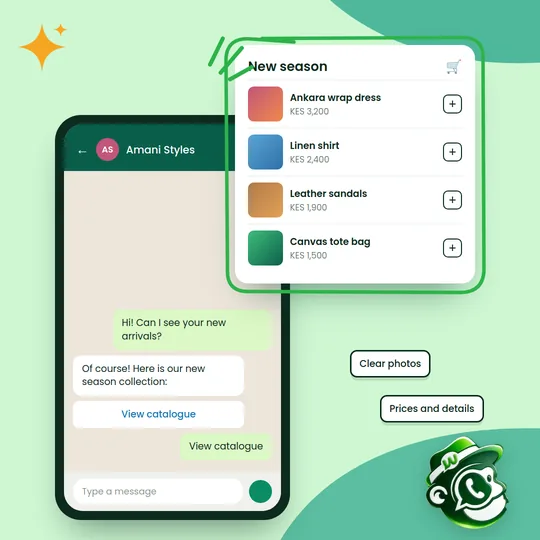
Share your catalogue with clear photos, prices and details, so customers can browse your range without leaving WhatsApp.

  • Clear photos: Show products at their best
  • Full details: Prices, sizes and descriptions together
  • Easy browsing: Organise products into collections
  • Share anywhere: In replies, chatbots and campaigns
Get started
A WhatsApp chat sharing a new season catalogue with dresses, shirts, sandals and bags
Simple ordering

From browsing to buying in a few taps

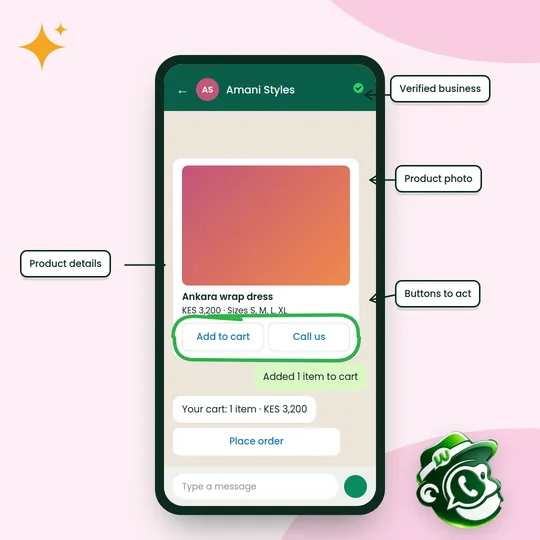
Customers add products to a cart and place the order in the chat. You confirm it, send a payment request and keep them updated, all in one conversation.

  • Cart in chat: Add items and review the order without leaving WhatsApp
  • Pay in the chat: Follow up with an M-Pesa or card payment request
  • Order updates: Automatic confirmations and delivery messages
  • Verified business: Customers know they're buying from you
Get started
A product card with Add to cart and Call us buttons, a cart summary and a Place order button

How it works

Up and running in three steps.

  1. Add your products

    Sync from WooCommerce or Shopify, or upload products with photos, prices and descriptions.

  2. Share them in chat

    Send single products, collections or your whole catalogue in a reply or a campaign.

  3. Receive the order

    Customers send their cart. Confirm it, take payment and keep them updated on delivery.

Who it's for

A few of the ways Kenyan businesses put it to work.

  • Fashion and beauty

    Share new collections and let customers order sizes and shades.

  • Electronics

    Show models side by side and answer spec questions in the same chat.

  • Groceries

    Take weekly orders from regular customers in a few taps.

  • Florists and gifts

    Show bouquets and hampers for every occasion and take same-day orders.

Questions about the WhatsApp catalog

Something else on your mind? Message us on WhatsApp and a person will reply.

Do I need a website or online store?

No. You can add products directly in Wabachimp. If you use WooCommerce or Shopify, we sync from it instead.

How many products can one message show?

A multi-product message can show up to 30 products, and your full catalogue can hold many more.

How do customers pay?

After they send a cart, you send a payment request in the chat. See WhatsApp payments for the details.

Can I include products in a campaign?

Yes. Product and catalogue messages can be sent to segments as approved templates.

Start using the WhatsApp catalog this week.

Read

Create your free account

Tell us about your business. We'll set up your account and help you connect your WhatsApp number.

Prefer to talk first? Chat with us on WhatsApp